


An unhealthy battery is a silent risk to your entire operation. A sudden failure can destroy expensive equipment and compromise your mission, but you're not sure which warning signs are critical.
To check drone battery health, start with a physical inspection for swelling or damage. Then, use the drone's app to check the cycle count and the voltage difference between cells. Finally, observe its performance in-flight for any sudden drops in power or reduced flight time.
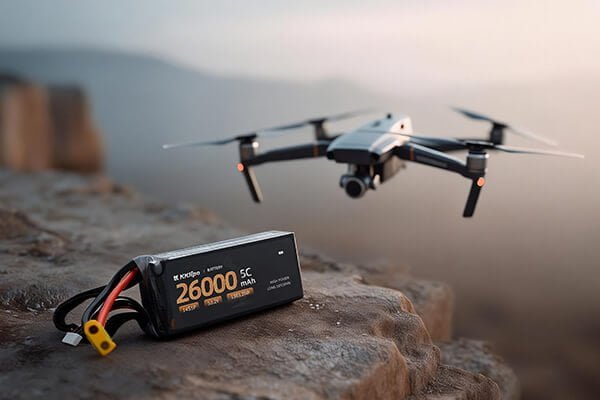
As a manufacturer of high-performance drone batteries, I know that battery health is not just about performance—it is about safety and reliability. For a procurement manager like you, Omar, a failing battery is a direct threat to your operational budget and mission success. Implementing a clear, multi-step checking protocol is the most effective way to manage this risk across your entire fleet, ensuring every flight is powered by a reliable and safe battery.
What are the simple, daily checks you must perform?
You don't have time for a deep technical analysis before every single flight. However, you know that skipping a basic check could lead to a catastrophic failure with an expensive drone and payload.
Before every flight, perform a 60-second check. Visually inspect the battery for any physical swelling or damage, feel it for unusual heat, and once airborne, pay attention to its performance for any abnormal power loss.

These simple checks are your first and most important line of defense. They require no special tools and can immediately identify a battery that is a critical safety risk. As an engineer, you know that a physical change is a symptom of a deeper problem. At KKLIPO, our factory's ISO-certified quality system starts with these fundamental inspections. They are non-negotiable.
A Three-Step Pre-Flight Protocol:
This simple routine should be second nature for every operator. It's the most effective way to catch a problem before it becomes a disaster.
-
Physical Inspection:
- Look for Swelling (Puffiness): This is the number one red flag. A swollen battery has experienced internal chemical failure and is generating gas. It is a severe fire and explosion risk. If a battery is swollen, decommission it immediately. No exceptions.
- Check for Damage: Look for cracks in the casing, damage to the connectors, or worn-out cables. Any physical breach can allow moisture in or indicate a past impact that has damaged the internal cells.
-
Tactile (Touch) Check:
- A battery at rest or after a normal charge should be at ambient temperature. If it feels unusually warm or hot to the touch before you even use it, it could indicate an internal short. Isolate the battery and monitor it.
-
In-Flight Performance Observation:
- Reduced Flight Time: If a battery that used to provide 25 minutes of flight now only lasts 15, its capacity has significantly degraded.
- Sudden Voltage Drops: Watch the battery percentage. If it suddenly drops from 40% to 10%, the battery can no longer provide stable power under load and should be retired from critical missions.
How can you use software for a deeper diagnosis?
A battery can look perfectly fine on the outside but be failing internally. Relying on visual checks alone is a gamble, and you need hard data to make reliable decisions about your battery fleet.
Use the drone's flight application (like DJI Fly/Go) to access the battery information menu. Here, you can find the battery's cycle count, and most importantly, the individual voltage of each internal cell.

This is where your engineering background gives you a major advantage. The data inside the app provides a window into the battery's chemical health. While a pilot might just see a percentage, you can analyze the underlying numbers to predict failure before it happens. We advise all our B2B clients to make this data check a mandatory part of their weekly or monthly maintenance schedule.
Key Metrics to Analyze in the App:
These two numbers will tell you 90% of what you need to know about the battery's internal condition.
-
Cycle Count: Think of this as the battery's odometer. It tracks how many full charge/discharge cycles the battery has been through.
- What it means: A typical industrial drone battery shows signs of performance decline after 150-200 cycles and is often considered for retirement around 300 cycles.
- Your action: Use this number to sort your batteries by age and anticipate when a batch will need replacement. A high-cycle battery should not be used for a mission that pushes the limits of its flight time.
-
Individual Cell Voltage: This is the most critical real-time health indicator. A LiPo battery is made of multiple cells connected in series. For the battery to be healthy, all cells must have a nearly identical voltage.
- Healthy Battery: All cell voltages are very close, e.g., 4.19V, 4.20V, 4.20V. The difference is minimal (0.01V).
- Warning Sign: The difference between the highest and lowest cell is growing, e.g., 4.10V, 4.18V, 4.20V. A difference greater than 0.05V indicates the battery is becoming unbalanced and is losing performance.
- Danger Sign: If the voltage difference exceeds 0.1V, the battery is severely unbalanced and unsafe for demanding flights. It should be retired immediately.
What are the best practices for extending battery life?
You are constantly replacing expensive batteries, and it's taking a toll on your operational budget. You suspect that poor handling habits are causing them to fail prematurely and need a clear protocol to maximize their lifespan.
The best way to extend battery life is through proper storage and temperature management. Always store batteries at a 40-60% charge level, and avoid charging or using them in extreme hot or cold temperatures.
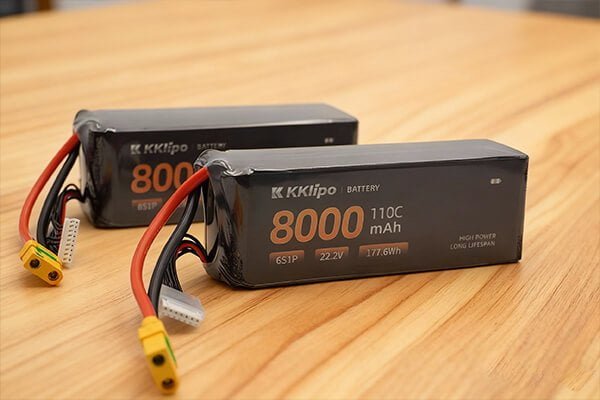
From our experience manufacturing and testing of batteries, I can tell you that user habits have a bigger impact on lifespan than almost any other factor. A battery that is cared for properly can easily last twice as long as one that is abused. For your operations in the demanding climates of the Middle East and Russia, establishing a strict battery care SOP is not just a good idea—it's essential for reliability and cost control.
An SOP for Maximum Battery Lifespan:
Implement these rules across your team to protect your investment.
-
The Golden Rule of Storage: A fully charged (100%) or fully depleted (0%) LiPo battery is under chemical stress.
- Do: If you are not flying within the next 24 hours, use your charger's "Storage" function to automatically bring the battery to ~50% charge. This is the most stable and least stressful state for the battery.
- Don't: Never store batteries fully charged for more than a day or two. And never leave them empty for long periods, as they can self-discharge to a point where they are permanently damaged ("bricked").
-
Master Temperature Management: Batteries are sensitive chemical devices.
- Heat is the Enemy: Never leave batteries in a hot car or charge them in direct sunlight. Always let a battery cool down to ambient temperature after a flight before charging it.
- Cold is the Resistor: Do not charge a battery below 5°C (41°F). In cold climates, keep batteries in a warm place until right before takeoff to ensure they can deliver full power.
-
Fly Smart:
- Avoid Deep Discharges: Set your drone's "Return to Home" for 30% battery. Consistently flying until the battery is at 5-10% dramatically shortens its life.
- Use Original Chargers: Only use chargers from the manufacturer or a certified, reputable brand like KKLIPO. Cheap, uncertified chargers can damage cells and are a significant fire risk.
Conclusion
To ensure safety and longevity, always check batteries for swelling, monitor cell balance in the app, and store them at 50% charge. These simple habits protect your equipment and maximize your investment.