

You're on-site for a job with multiple batteries, but you misjudged the charging time. Now you're facing costly downtime, waiting for batteries to power up while daylight and client patience run out.
Most consumer and professional drone batteries take between 60 to 90 minutes to charge from empty to full. This time depends directly on the battery's capacity (mAh) and the power output (Watts) of your charger.
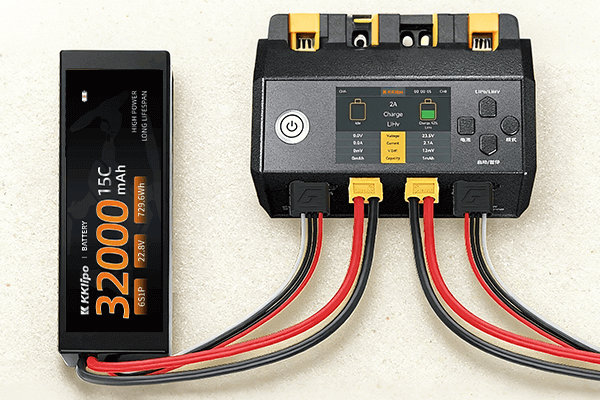
This question comes up all the time, and the "it depends" answer isn't helpful when you're planning a mission. As a manufacturer specializing in high-performance power solutions, we engineer batteries and charging systems for efficiency. Knowing the factors that control charging speed allows you to build a reliable charging workflow, eliminate guesswork, and keep your drones in the air, not on the ground.
What are the main factors that determine charging speed?
You've noticed that some batteries charge much faster than others, but it's not clear why. Without understanding the core reasons, you can't optimize your charging setup or make informed purchasing decisions for faster turnaround times.
Charging time is a direct result of two things: the battery's capacity (how big the tank is) and the charger's power (how fast the fuel flows). A high-capacity battery paired with a low-power charger will always result in a very long wait.
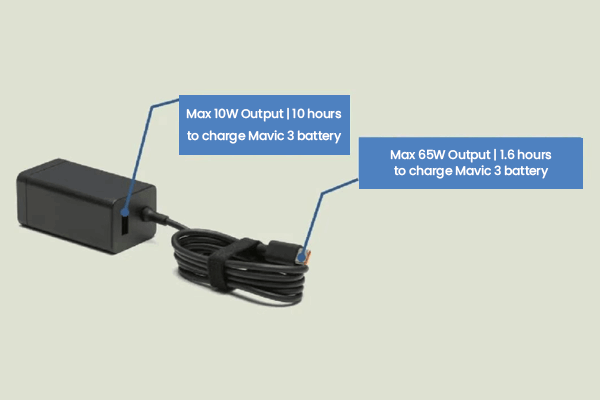
As an engineer, Omar, you can think of this as a simple input/output problem. The battery has a certain capacity that needs to be filled, and the charger provides the energy at a specific rate. If you increase the capacity (a bigger battery for longer flights), you must also increase the charger's power to maintain a reasonable charge time. It’s a balanced equation. This is why we always discuss charging infrastructure with our clients when designing custom battery solutions.
The Charging Speed Equation:
Let's break down the critical variables that you need to control.
-
Battery Capacity (mAh): This is the single biggest factor. Measured in milliamp-hours, it represents how much energy the battery can store. A larger capacity means a longer flight time, but also a longer charge time.
- Example: A 5000mAh battery has twice the capacity of a 2500mAh battery and will take roughly twice as long to charge with the same charger.
-
Charger Power (Watts): This is the rate at which the charger can deliver energy. A higher wattage means a faster charge.
- Standard Chargers: Often rated around 30W-65W.
- Fast Chargers / Charging Hubs: Can be 100W or more, significantly cutting down the time.
-
Charge Method: How you charge multiple batteries matters.
- Sequential Charging: Most "charging hubs" work this way. They focus all the power on one battery to charge it quickly, then move to the next. The total time is long, but you get one usable battery faster.
- Parallel Charging: Some advanced chargers can charge multiple batteries simultaneously. However, the total charger power is divided among the batteries, meaning each one charges more slowly.
-
Starting Charge Level: A battery starting at 50% will, of course, charge faster than one starting from 0%.
What are the typical charging times for popular drones?
You need to create a realistic schedule for your team in the field. To do that, you need reliable, real-world charging time estimates for the types of drones you are likely to use.
For most drones, from the DJI Mini series to the Mavic 3, you should budget for about 90 minutes per battery with a standard charger. Using a higher-wattage fast charger or charging hub can often reduce this time to around 60 minutes.
While every situation is slightly different, having a solid baseline is crucial for operational planning. As a battery manufacturer, we perform these tests constantly. These numbers represent what you can realistically expect in the field, helping you avoid bottlenecks and schedule your flights and battery swaps efficiently.
Charging Time Reference Table:
Here are some good estimates for common models using their original chargers. These times are from 0% to 100%.
| Drone Model | Typical Battery Capacity | Charger Used | Estimated Charge Time |
|---|---|---|---|
| DJI Mini Series | ~2250 mAh | Standard 30W Charger | ~90 minutes |
| DJI Air 3 / Mini 4 Pro | ~4240 mAh (Air 3) | 100W Fast Charge Hub | ~60 minutes |
| DJI Mavic 3 Series | 5000 mAh | 65W Standard Charger | ~90 minutes |
| FPV Drones (Avata/FPV) | ~2000 mAh | Standard Charger | ~50-60 minutes |
Important Note: These are estimates. The final 10-20% of the charge cycle is always slower as the system switches to a "trickle charge" to protect the battery cells. Therefore, a simple calculation might be slightly optimistic.
Can you improve your charging speed and workflow?
You're losing valuable time on-site waiting for batteries. You need actionable strategies to speed up the charging process safely and keep your operations flowing smoothly without constantly buying more batteries.
Yes, the most effective way to improve charging speed is to upgrade to a higher-wattage charger or a multi-battery charging hub. Additionally, managing battery temperature and not waiting for a 100% charge can significantly speed up your workflow.
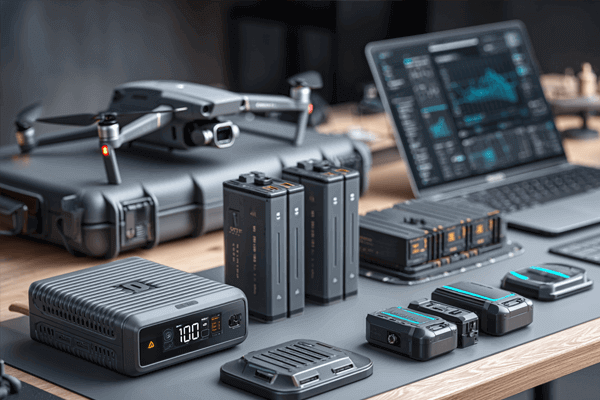
Optimizing your charging workflow is just as important as choosing the right battery. As a solutions provider, we help clients build efficient field-charging kits that match their operational tempo. In demanding environments like Russia or the UAE, where temperature plays a huge role, having the right setup is key to maintaining peak performance.
A Professional's Charging Strategy:
Follow these steps to minimize downtime.
- Invest in a Quality High-Power Charger: This is the #1 way to charge faster. Using the original or a certified high-wattage charger (e.g., 100W) is a game-changer. It's a small investment that pays off daily.
- Use a Charging Hub: If you manage more than three batteries, a charging hub is essential. It automates the process, charging them sequentially so you always have a fresh battery ready without manually swapping them.
- Manage Battery Temperature: This is critical.
- Hot Battery? Wait. After a flight, a battery is hot. A smart charger will wait for it to cool before charging, adding to your downtime. Let it cool to room temperature first.
- Cold Battery? Warm it. In cold weather, a battery won't charge efficiently, if at all. Bring it to a warmer environment (e.g., inside a car) before plugging it in.
- Don't Wait for 100%: The last 10% of a charge takes the longest. If you're in a hurry, charging to 90% gets you back in the air much faster and is even healthier for the battery's long-term lifespan.
- Always Use Certified Equipment: Never use cheap, uncertified chargers. They lack the safety protocols to communicate with the battery, charge slowly, and pose a significant fire risk.
Conclusion
A drone battery typically charges in 60-90 minutes. You can speed this up by using a high-wattage charger, managing battery temperature, and using a charging hub to streamline your workflow for maximum efficiency.