

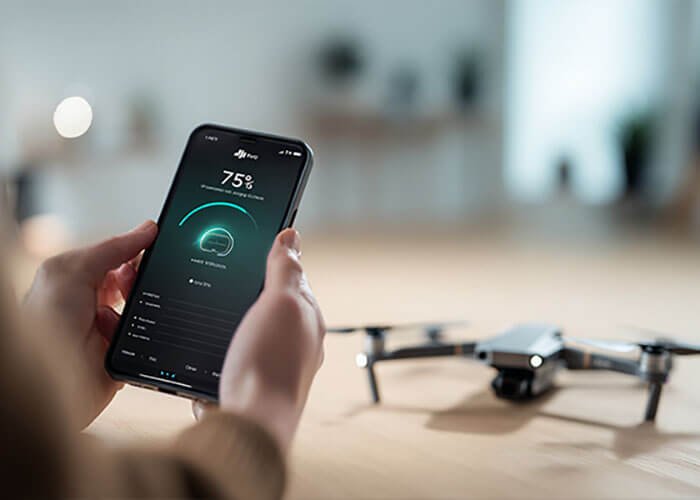
You've plugged in your drone battery, but the indicator lights remain dark. A dead battery means a grounded drone, a failed mission, and a significant operational delay, causing stress and potential financial loss.
First, perform a basic check: use a different outlet, cable, and charger to rule out simple failures. Then, clean the battery's metal contacts with rubbing alcohol. If it still won't charge, the battery might be in a deep discharge "sleep mode" and needs to be "woken up."
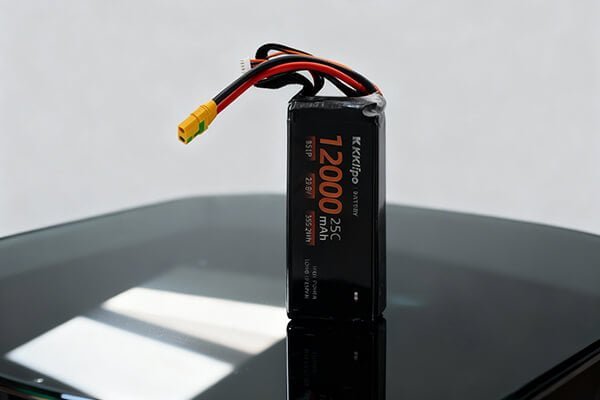
As a manufacturer of professional-grade batteries, I've seen countless "dead" batteries that were simply victims of a simple, fixable issue. Before you write off a battery as a total loss, it's crucial to follow a systematic troubleshooting process. More than 90% of charging failures I've encountered are resolved with these basic, non-invasive steps. However, safety is paramount—if a battery is visibly swollen, leaking, or damaged, do not attempt any repair. Its life is over.
What are the first and safest steps to try?
Your battery isn't charging, and your first thought is that the expensive battery itself is broken. This assumption can lead you to prematurely discard a perfectly good battery when the problem is much simpler and cheaper.
Start with the charging equipment. Test your charger and cable on another device, like your phone. Ensure all connections are secure. If those work, the next step is to clean the battery and charger's metal contact points.

In my engineering experience, we always start troubleshooting at the source. The problem is often not the most complex component. A dirty contact or a faulty $5 cable is a far more common culprit than a dead battery management system (BMS). Following this logic saves time and money.
The 90% Solution Checklist
- Isolate the Charger/Cable: Use your drone charger and cable to power a different device. If it doesn't work, you've found the problem. Conversely, try charging your drone battery with a known-good cable and power brick.
- Check All Connections: Unplug and firmly reconnect everything. The plug at the wall, the cable into the power brick, and the cable into the charging hub. A slightly loose connection can prevent charging.
- Clean the Contacts: Over time, the metal contacts on the battery and charger can develop a thin, invisible layer of oxidation or grime.
- Power everything down.
- Use a cotton swab lightly dampened with high-purity isopropyl alcohol.
- Gently wipe the gold or silver contacts on both the battery and the charger/drone.
- Let it dry completely for a minute before trying again.
- Check the Temperature: A LiPo battery's BMS will prevent charging if it's too cold (below 5°C) or too hot (above 40°C). If the battery was just used or left in a cold car, let it sit at room temperature for an hour before attempting to charge.
What if the battery is completely unresponsive?
The basic checks didn't work, and the battery shows no signs of life when you press the power button. This "dead" state often happens when a battery has been left uncharged for too long.
The battery has likely entered a deep discharge "hibernation" state. The voltage is so low that the charger doesn't recognize it. The safest fix is to use a professional smart charger with a "repair" or "activate" function that uses a tiny current to wake it up.

This hibernation is a safety feature to prevent further damage from self-discharge. However, the standard charger isn't equipped to handle this ultra-low voltage state. As a procurement manager, Omar, you might consider investing in a versatile smart charger for your maintenance workshop. It's an invaluable tool for recovering batteries that junior operators might have neglected.
Methods to "Wake Up" a Sleeping Battery
- Use a Smart Charger (Recommended Method): A charger like a SkyRC iMax B6 can be set to a LiPo "Repair" mode. It will apply a very low, controlled current to slowly raise the individual cell voltages back into a range the standard charger can recognize. This is the safest advanced method.
- The In-Drone "Jumpstart" (Use with Caution): Sometimes, you can trick the charger into recognizing the battery.
- Place the "dead" battery into the drone.
- Plug the charger into the drone itself (for models that support this).
- Power on the drone (if it has even a flicker of life).
- Sometimes, this process can provide enough initial voltage for the charger to begin its cycle. Monitor it for a few minutes, then power down and charge normally.
- Check for Firmware Updates: Connect the battery and drone to your computer or app. Occasionally, a firmware bug can cause charging issues, and an update will resolve it. Some batteries also have a reset procedure (like holding the power button for 10-15 seconds).
When is a battery truly unfixable and dangerous?
You're trying to save a battery, but you're unsure where the line is between a recoverable issue and a genuine safety hazard. Attempting to fix a critically damaged battery is a massive risk.
If the battery is physically swollen ("puffy"), cracked, leaking fluid, or has a burnt smell, it is beyond repair and is a fire hazard. Do not attempt to charge or fix it. The risk of fire or explosion far outweighs the cost of a replacement.
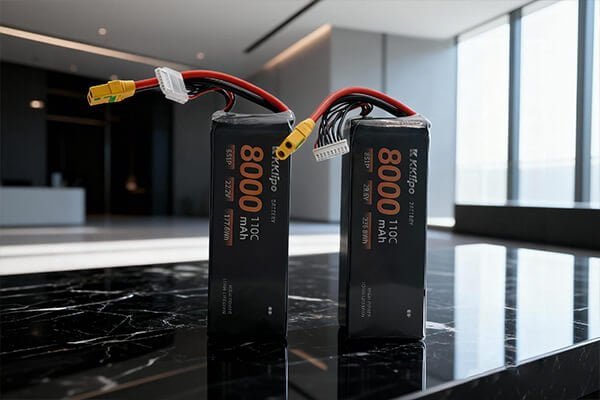
This is the most critical takeaway. As a manufacturer certified for global safety standards (UN38.3, UL, etc.), our first priority is preventing harm. The chemical energy inside a LiPo battery is immense. Once the internal structure is compromised—which is what swelling indicates—it becomes unstable. No professional repair is possible; the only responsible action is safe disposal.
The Point of No Return:
- Physical Swelling: Any puffiness means gas has been generated inside the cells due to chemical breakdown. It's a ticking time bomb.
- Cracks or Punctures: Any breach of the outer casing exposes the volatile internal chemistry to air and moisture, creating an extreme fire risk.
- Zero Voltage Reading: If you use a multimeter and read exactly 0V, it often means an internal fuse on the BMS has blown or a cell connection has failed. While theoretically repairable by an expert, it's not practical or safe for 99.9% of users.
For my clients in demanding fields like industrial inspection or public safety, the rule is simple: when in doubt, throw it out. The cost of a new battery is nothing compared to the cost of a drone lost to fire, or worse.
Ready to move away from volatile LiPo battery anxiety?
It is an industry reality: standard LiPo chemistry is inherently prone to safety risks like swelling and degradation under heavy use. If you are preparing to replace your fleet's power source, next-generation Semi-Solid State Drone Battery Solutions are the definitive future trend. By replacing liquid electrolytes with semi-solid structures, it packs maximum energy density into a lighter, safer, and more compact design—drastically reducing operational risks while maximizing your flight endurance per launch.
Conclusion
To fix a non-charging battery, first check your cables and clean the contacts. If it's unresponsive, use a smart charger to "wake it up." Never attempt to fix a swollen or damaged battery.