


Fumbling with a drone battery after a flight can be frustrating. You're worried about breaking a latch or damaging the contacts, turning a simple task into a costly repair and grounding your equipment.
To remove a drone battery, first power off the drone completely. Then, press the release buttons or latches (usually on the sides or top of the battery) and smoothly slide the battery out of its housing. Never use force.
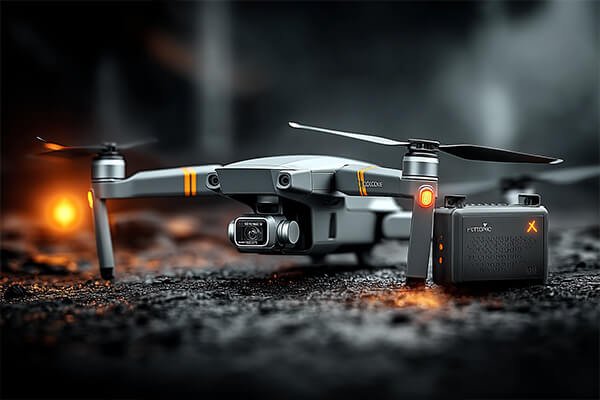
As a manufacturer of high-performance drone batteries, we design our products for secure locking and easy removal. However, improper handling is one of the most common causes of damage we see to both batteries and drones. Understanding the correct, simple procedure protects your investment and ensures the physical integrity of your power system. It's a fundamental skill for any professional operator.
What is the standard procedure for removing a modern drone battery?
You see the latches, but you're unsure of the exact technique. Applying pressure in the wrong way could snap a plastic clip, leading to a loose-fitting battery or an expensive body shell replacement.
For most modern drones like DJI models, simultaneously press the two release buttons located on the sides of the battery. While holding them down, firmly slide the battery backward and out of the drone's body.
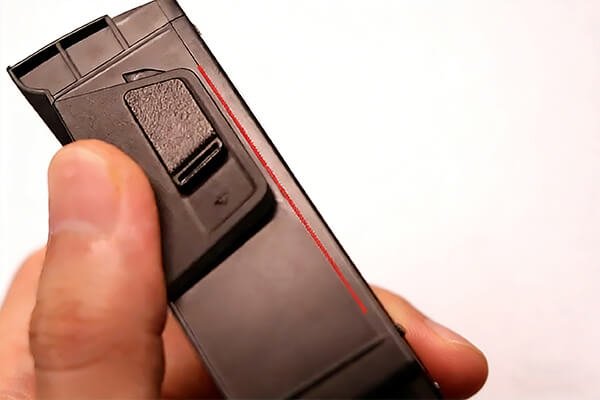
The design of these locking mechanisms is intentional; it requires a deliberate, two-point action to prevent accidental release during flight. From my experience working with drone manufacturers, this dual-latch system has become the industry standard for safety and security. It's a simple but effective piece of engineering. Mastering this simple motion makes battery swaps fast and damage-free.
The Step-by-Step Guide for DJI-Style Drones
This process applies to most popular models like the Mavic, Air, and Mini series.
- Power Down Completely: This is the most important first step. Short-press then long-press the power button until all indicator lights are off. This prevents electrical arcs that can damage the connectors.
- Locate the Release Buttons: Find the textured or indented buttons on the left and right sides of the battery where it meets the drone body.
- Press and Hold: Use your thumb and index finger (or both thumbs) to press both buttons inward at the same time. You should feel or hear a faint "click" as the latches disengage. The key is applying equal pressure simultaneously.
- Slide and Remove: While still holding the buttons, grip the battery and slide it straight back, away from the drone's front. It should move smoothly without resistance. Have your other hand ready to support the battery so it doesn't drop.
I once saw a new pilot try to pry a battery out after pressing only one latch. He ended up snapping the internal clip, which meant the drone had to be sent in for repair. Always press both.
Do different types of drones have different removal methods?
You work with various drone platforms, not just DJI. You're concerned that a method that works for one might break another, especially with less standardized FPV or specialized industrial drones.
Yes, the method varies significantly. While consumer drones use integrated latches, FPV drones use straps and manual plugs (like XT60s), and toy drones often have simple friction-fit connectors that you pull straight out.
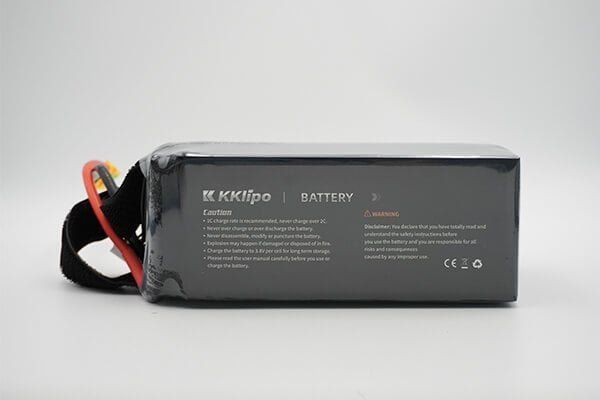
As a solutions provider, we create custom battery packs for all kinds of airframes, so we understand this diversity firsthand. The removal method is directly tied to the drone's design philosophy. A DJI Mavic is built for convenience and integrated safety. An FPV quad is built for performance and modularity, prioritizing a strong physical hold and high-current connectors over click-in ease. Knowing the difference is key to avoiding damage.
Comparing Removal Mechanisms
| Drone Type | Primary Retention Method | Removal Action | Key Precaution |
|---|---|---|---|
| Consumer (e.g., DJI) | Integrated spring-loaded latches | Press dual buttons and slide out | Always power off first; press buttons simultaneously. |
| FPV Racing/Freestyle | Velcro or Kevlar strap + XT60/XT30 plug | Unfasten the strap, then firmly pull the power plug apart. | Pull on the plastic connector itself, never on the wires. |
| Toy/Beginner Drones | Simple friction clip or housing | Unlatch any plastic tab and pull the small connector out. | Be gentle; the wires and connectors are often fragile. |
For a procurement manager like yourself, Omar, understanding these differences is vital when sourcing for different projects. The physical integration of the battery is just as important as its electrical performance, especially when considering custom platforms in diverse environments like the UAE or Russia where thermal expansion could affect fittings.
What are the most critical safety mistakes to avoid during removal?
In a rush to swap batteries and get back in the air, it's easy to overlook a simple safety check. This carelessness can lead to a dropped battery, a damaged connector, or worse, a potential fire hazard.
The biggest mistakes are removing the battery while the drone is powered on, using tools to pry it out, and ignoring physical damage like swelling. These actions risk electrical shock, battery puncture, and fire.
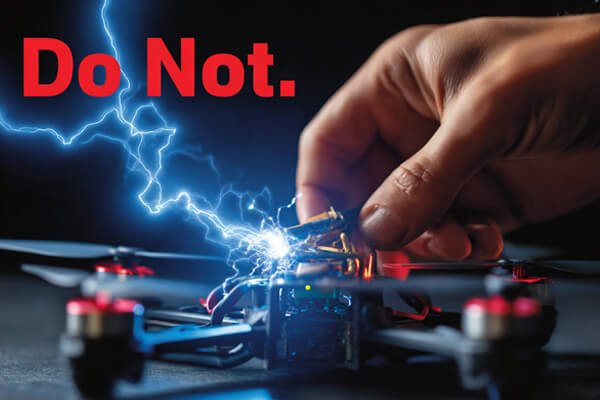
Safety is the foundation of everything we do at KKLIPO. Our ISO-certified manufacturing and global compliance (UN38.3, MSDS, CE) mean nothing if the end-user handles the product incorrectly. A battery is a container of concentrated energy, and it must be treated with respect. A simple mistake can have severe consequences.
The "Never Do This" Safety Checklist
- Never Operate While Powered On: Attempting to remove a battery while the drone is on can cause a power surge that fries the drone's sensitive electronics or the battery's management system. Always confirm the power is off.
- Never Use Tools: Never use a screwdriver, key, or any other object to pry a stuck battery. The outer casing is your only protection from the volatile chemical cells inside. Puncturing a LiPo cell will almost certainly cause an immediate and intense fire. If a battery is stuck, it's likely due to swelling or a damaged latch, which requires professional attention.
- Never Ignore a Swollen Battery: If you remove a battery and notice it is "puffy" or swollen, that battery's life is over. It is a major fire risk. Do not use it again. Place it in a fire-safe container away from flammable materials and dispose of it according to your local regulations for hazardous waste.
- Never Be Rough: Don't drop the battery or toss it into a bag. The internal components are precisely arranged. A hard impact can damage the cell structure or the Battery Management System (BMS), leading to premature failure.
Tired of handling fragile, swelling-prone traditional LiPo batteries?
The reality of standard LiPo chemistry is that physical vulnerability and thermal swelling are constant operational hazards. If you are upgrading your fleet's power systems, next-generation Semi-Solid State Drone Battery Technology is the definitive choice for industrial applications. By utilizing a semi-solid matrix, it drastically improves structural integrity and safety, significantly minimizing the traditional risks of "puffing" or leaking while delivering far higher energy density for your missions.
Conclusion
To remove a drone battery, power it off, press the release buttons, and slide it out smoothly. Always handle it with care to ensure safety and protect your valuable equipment investment.